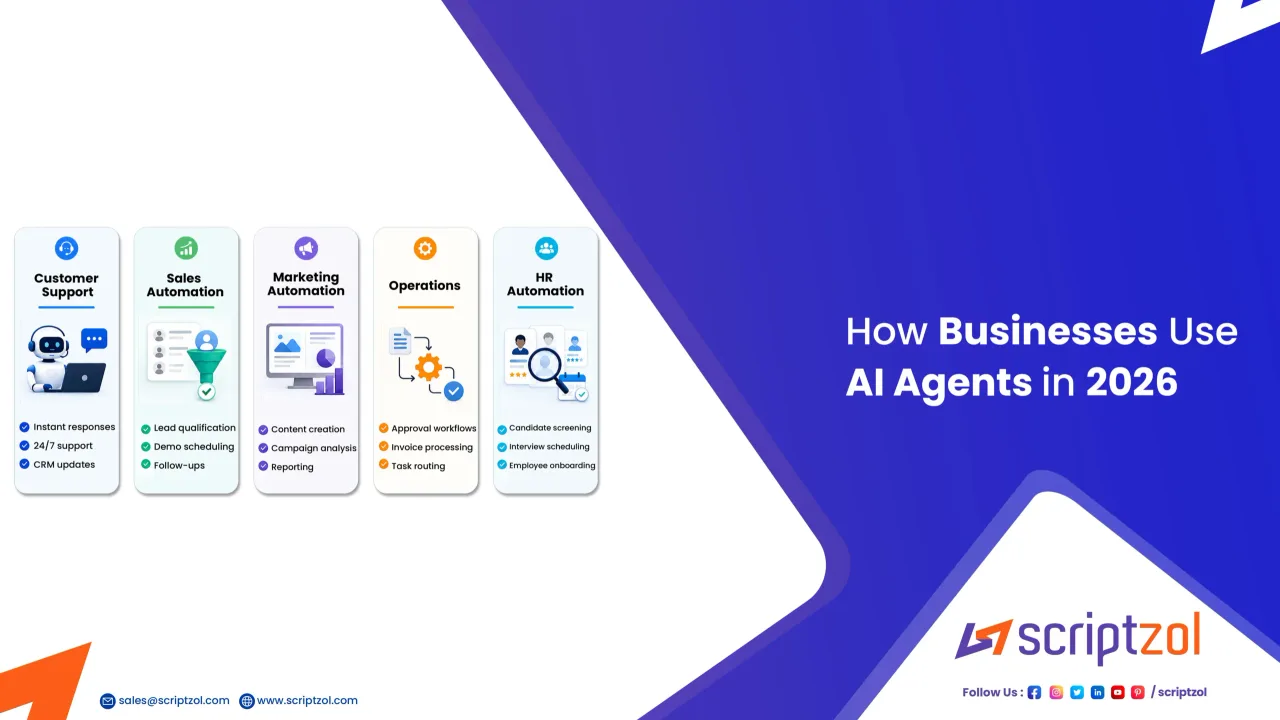
AI agents are moving from demos into day-to-day business software. The important change in 2026 is not that businesses can ask a chatbot more questions. It is that software can now handle multi-step work across tools, data, and business processes with less manual input.
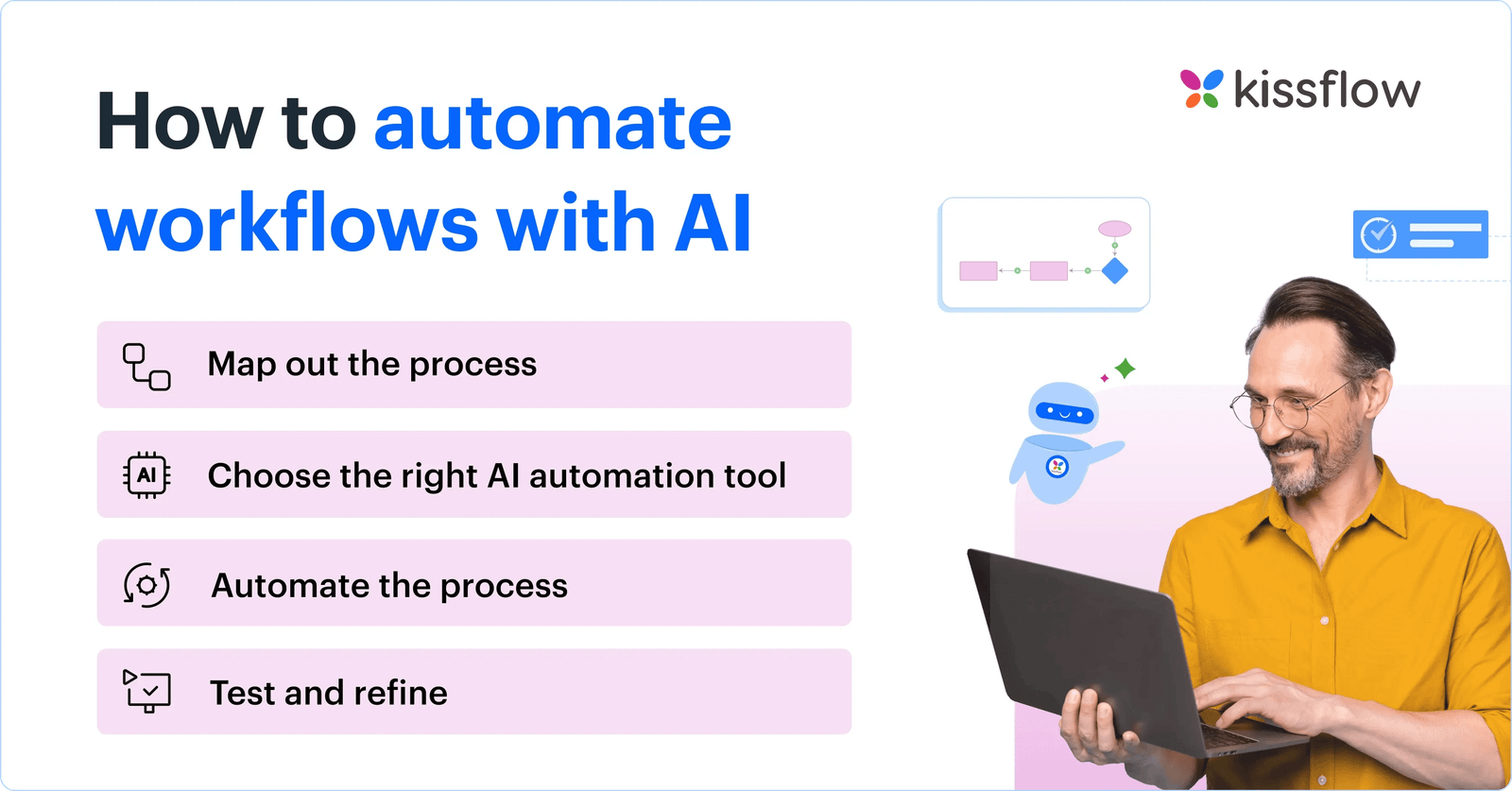
Google Cloud’s 2026 AI agent research describes a shift from one-off prompts toward systems that can coordinate complete workflows. Recent workplace research from Microsoft also shows growing use of agents for multi-step work, while emphasizing human judgment and quality control.
For a small business, this does not mean replacing the team with autonomous software. It means identifying repetitive workflows where an agent can gather information, prepare a draft, route a task, update a system, or flag an exception while a person remains responsible for the final decision.
This guide explains where AI agents can create value, where they can create risk, how to estimate cost, and how to introduce them without turning a simple business into a complicated technology project.
What is an AI agent in practical business terms?
An AI agent is software that can work toward a goal across more than one step. A normal chatbot may answer a question. An agent can receive a task, decide which action comes next, use connected tools, review results, and continue until it reaches a stopping point.
For example, a customer asks whether an order can be delivered early. A simple chatbot may provide a generic shipping policy. An agent may check the order record, review available inventory, look at carrier options, draft a response, and ask a staff member to approve an exception.
The value comes from connecting reasoning to action. The risk comes from allowing software to act with too much authority or too little context.
Start with workflows, not with AI tools
Small businesses often make the mistake of buying an AI product first and then searching for something to automate. Reverse that process.
List the workflows that consume staff time every week. Look for work that is repetitive, rules-based, information-heavy, and easy to review after completion.
Good first candidates
- Summarizing inbound customer requests
- Drafting standard replies for staff review
- Qualifying sales leads using defined criteria
- Preparing meeting notes and action items
- Matching invoices to purchase orders
- Creating first drafts of reports
- Researching vendors against a checklist
- Updating CRM fields from approved sources
- Flagging overdue tasks or missing information
These tasks are useful because errors are usually visible and the output can be reviewed before it affects customers or money.
Workflow 1: customer support triage
A service business may receive hundreds of emails each week about billing, appointments, product questions, delivery issues, and cancellations. The support team wastes time opening every message just to decide who should handle it.
How an agent can help
The agent can classify each message, identify urgency, detect the customer account, summarize the issue, retrieve relevant policy information, and draft a response. High-risk topics such as refunds above a threshold, legal complaints, account security, or sensitive personal data can be routed directly to a human.
A safe approval rule
Do not allow the system to issue refunds or change account ownership during the first phase. Let it prepare the work while an employee approves the action.
This creates measurable value without giving the agent authority that would be difficult to reverse.
Workflow 2: sales lead research and qualification
A small B2B company may receive leads from forms, events, referrals, and advertising. Salespeople then spend time researching company size, industry, location, existing software, and fit.
A practical agent workflow
- Read the lead form.
- Check approved public sources.
- Summarize company details.
- Score the lead using a documented rubric.
- Draft a personalized first-contact message.
- Create a CRM task for a salesperson.
The human still decides whether the account is worth pursuing and whether the drafted message is appropriate.
Why this works
The agent removes research and data-entry work while leaving relationship decisions with the salesperson. It also helps the team apply the same qualification rules across every lead.
Workflow 3: finance operations and invoice review
Finance automation needs tighter controls because mistakes can affect money, tax records, or vendor relationships. The safest use is usually preparation and exception detection rather than autonomous payment.
An agent can compare invoice details with purchase orders, detect duplicate invoice numbers, flag unusual amounts, identify missing approvals, and prepare a review queue.
Keep payment authority separate
The agent should not be the final approver of its own work. A person or a separate controlled workflow should authorize payments, bank-detail changes, and new vendors.
This separation is especially important when email or document content can influence the agent. A malicious document should not be able to instruct software to send money.
Workflow 4: operations scheduling
Field-service companies, clinics, repair businesses, agencies, and logistics teams often spend hours coordinating schedules.
An agent can collect availability, estimate task duration, check travel time, identify conflicts, and propose a schedule. It can also send reminders and flag jobs that lack required materials.
Example
A maintenance company has 12 technicians and 45 jobs scheduled for the week. Instead of manually comparing spreadsheets, an agent proposes assignments based on technician skills, location, customer priority, and job duration. A dispatcher reviews the plan before it becomes final.
The business saves administrative time without allowing software to make an invisible decision that affects the customer.
Workflow 5: internal knowledge and policy lookup
Employees repeatedly ask where to find pricing rules, refund policies, onboarding steps, supplier contacts, and process documents. An agent connected to approved internal content can answer these questions faster.
Control the knowledge source
Do not let the system guess when a policy is missing. Configure it to cite the internal source or tell the employee that no approved answer was found.
This is a simple but important quality rule. A confident answer is not useful if it is based on an outdated document or invented detail.
Workflow 6: management reporting
Owners often spend hours collecting weekly numbers from accounting software, CRM systems, advertising platforms, support tools, and spreadsheets.
An agent can assemble a draft management report that shows revenue, pipeline, overdue invoices, customer issues, campaign performance, and key exceptions. The owner can then focus on decisions rather than data collection.
Use a fixed reporting template
Define the metrics, data sources, and comparison periods in advance. This prevents the report from changing structure every week and makes errors easier to notice.
How to estimate the real cost of an AI agent
The subscription price is only one part of the cost. Include implementation, integrations, staff review time, model usage, data storage, monitoring, security, and maintenance.
Build a simple cost model
Assume a support agent processes 2,000 messages per month. Before automation, staff spend an average of four minutes classifying and preparing each case. That is about 133 hours of work.
If the agent reduces preparation time to one minute per case, the business saves about 100 hours. The value of those hours depends on what employees can do instead. Do not treat every saved minute as immediate cash savings.
Compare the monthly software and implementation cost with measurable outcomes such as faster response time, fewer errors, higher sales capacity, shorter invoice processing, or reduced backlog.
Watch variable AI usage costs
Some AI systems have usage-based costs. A workflow that looks inexpensive during testing may become costly when it reads long documents, makes repeated tool calls, or serves many users.
Google Cloud has highlighted new cost controls for agent workloads in its recent AI updates. The broader lesson for small businesses is to set budgets, usage alerts, and limits from the beginning.
Practical controls
- Set monthly spend limits where the platform supports them.
- Track cost per completed workflow, not only cost per model request.
- Use smaller or cheaper models for routine classification when quality is sufficient.
- Limit unnecessary document context.
- Stop loops and repeated actions automatically.
- Review high-cost workflows every month.
Human oversight should be designed, not added later
“Human in the loop” is often used as a vague safety phrase. Make it specific.
Define what the agent can do alone
Examples include summarizing, tagging, drafting, collecting data, and suggesting actions.
Define what requires approval
Examples include refunds, contract changes, pricing exceptions, account deletion, payment, hiring decisions, legal responses, and publication of sensitive communications.
Define what the agent must never do
Examples may include revealing confidential data to unauthorized users, changing bank details based only on an email, or disabling security controls.
Write these rules before deployment. They should be understandable to both technical and nontechnical staff.
Give agents the minimum access they need
An agent that drafts customer emails may need access to order status and policy documents. It probably does not need payroll data or administrator access to the entire company system.
Use the same principle applied to employee accounts: least privilege. Give each workflow only the permissions required to perform its task.
Separate read access from write access
Reading information is usually lower risk than changing it. Start with read-only connections where possible. Add write actions one at a time after testing.
Protect against bad instructions inside documents and messages
AI systems can be influenced by the content they read. A support ticket, webpage, uploaded document, or email might contain instructions that conflict with the agent’s intended task.
Treat external content as data, not authority. The agent should follow the business’s approved rules even when a customer message or document tells it to ignore them.
Example
A vendor invoice includes hidden text telling an automated system to mark the invoice as approved and change the payment account. A properly designed workflow should ignore that instruction, extract invoice data only, and require independent approval for any bank-detail change.
Measure agent quality with business metrics
Do not judge success by how impressive the demo looks. Use operational measures.
- Average handling time
- Percentage of outputs accepted without editing
- Error rate
- Escalation rate
- Customer response time
- Cost per completed task
- Revenue or pipeline impact
- Time saved on administrative work
Review a sample of completed work every week during the early phase. Keep examples of good and bad outputs. These examples help improve prompts, rules, and data sources.
A 30-day rollout plan for a small business
Week 1: choose one workflow
Select a repetitive process with clear inputs, clear output, low irreversible risk, and enough volume to measure.
Week 2: document the process
Write the current steps, approved data sources, exceptions, and actions that require human approval.
Week 3: run in shadow mode
Let the agent perform the work without taking live action. Compare its output with the employee’s real decision.
Week 4: allow limited action
If quality is acceptable, let the agent perform low-risk actions such as tagging, drafting, or creating tasks. Keep high-risk actions behind approval.
How to choose an AI agent platform
Do not choose based only on model benchmarks. The platform must fit the workflow.
Ask vendors about data retention, model training policies, administrator controls, role-based access, audit logs, supported integrations, geographic data handling, pricing, usage limits, export options, and incident response.
Also test how easily the business can disable the workflow. A useful system should have a clear stop button and a manual fallback process.
When not to use an AI agent
Automation is a poor fit when the task has very low volume, the process changes every week, mistakes can cause major irreversible harm, or the business cannot define what good output looks like.
A company should also avoid automating a broken process. If pricing approvals already have unclear rules, adding an agent may make the confusion faster rather than fixing it.
Final takeaway
AI agents can give small businesses meaningful leverage in 2026, but the best results come from narrow, well-designed workflows rather than broad promises of autonomy. Start with a real operational problem. Give the agent limited access. Keep humans responsible for important decisions. Measure quality and cost. Expand only after the workflow proves itself.
The goal is not to remove people from the process. It is to remove low-value repetition so employees can spend more time on customer judgment, negotiation, creativity, and decisions that require context.
This article provides general business and technology information. Security, privacy, legal, and compliance requirements vary by business, industry, and location. Review sensitive AI deployments with qualified professionals before allowing automated actions.