
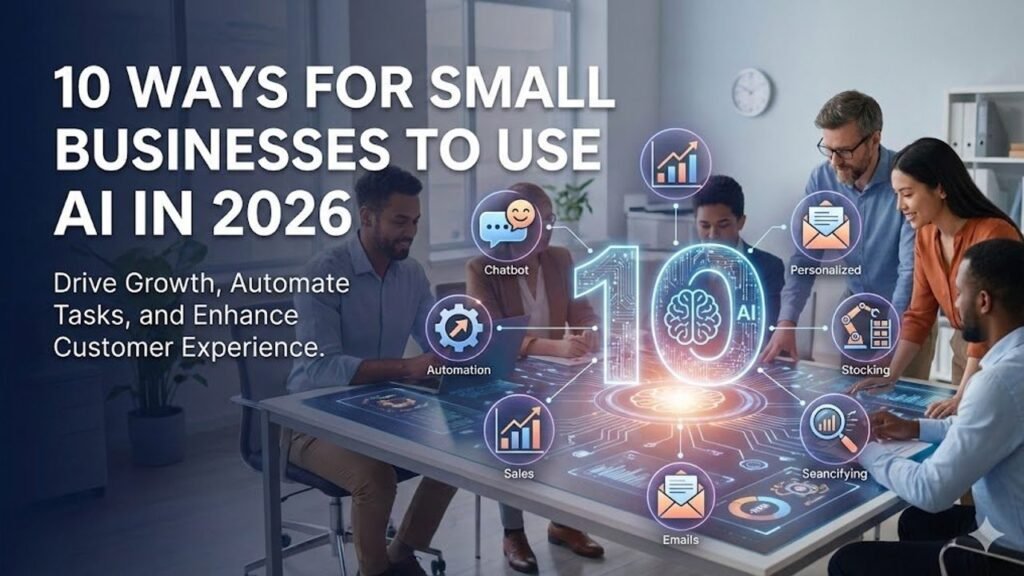

Small businesses do not need a software engineering team to benefit from AI. In 2026, many useful AI features are built into the tools businesses already use for email, documents, customer support, sales, accounting, scheduling, and marketing. The hard part is not getting access to AI. The hard part is deciding where it should fit into the business.
Recent programs from Grow with Google have focused on helping small businesses use AI for practical tasks and even build simple custom apps without coding. The opportunity is real, but the best results usually come from improving a specific workflow rather than adding AI everywhere at once.
This guide shows how an owner can make a business AI-ready using simple process design, no-code tools, clear data rules, and human review. It is designed for teams that want useful automation without turning operations into a technology experiment.
What does “AI-ready” actually mean?
An AI-ready business is not a company with the most AI subscriptions. It is a company with clear processes, usable data, defined responsibilities, and enough control to test automation safely.
If a business cannot explain how a customer moves from inquiry to sale, adding AI will not fix the process. It may simply make the confusion faster.
Five signs a business is ready
- Important workflows are documented.
- Customer and operational data has a clear home.
- Staff know which decisions they own.
- Access to systems is controlled.
- The business can measure whether a change saves time or improves results.
Start with a process map, not a tool list
Choose one recurring workflow that takes too much time or creates avoidable errors. Write the steps on paper or in a simple document.
For example, a small agency may have this lead process:
- A prospect fills out a form.
- An employee reads the message.
- The employee checks the company website.
- The employee decides whether the lead fits.
- A CRM record is created.
- A follow-up email is drafted.
- A call is scheduled.
Once the process is visible, the team can decide which steps require judgment and which are repetitive.
Find the repetitive part of the workflow
AI is most useful when it handles information-heavy work that follows a pattern. Good early tasks include summarizing, classifying, extracting, drafting, and routing.
Good examples
- Summarize a long customer inquiry.
- Extract name, company, budget, and service interest from a form.
- Classify a support request by topic.
- Draft a standard follow-up email.
- Turn meeting notes into tasks.
- Create a first version of a weekly report.
- Compare a vendor quote against a checklist.
These are easier to review than high-risk decisions such as hiring, firing, issuing refunds, changing contracts, or sending money.
Use the “assist, recommend, act” model
A useful way to introduce AI is to increase authority in stages.
Stage 1: assist
The system summarizes information, drafts content, or organizes data. A person does the actual work.
Stage 2: recommend
The system suggests a lead score, next step, schedule, or response. A person decides whether to accept it.
Stage 3: act within limits
The system performs a low-risk action such as creating a CRM task or tagging a support ticket. Sensitive actions stay behind approval.
This model lets the team build trust before giving software more control.
Clean up data before connecting AI
AI cannot reliably automate a workflow if the same information exists in five places with different values.
Choose a system of record for each important data type.
- CRM for customer and pipeline information
- Accounting software for financial transactions
- Cloud storage for approved documents
- Project tool for work status
- Support platform for customer-service history
Then reduce unnecessary spreadsheets and duplicate databases.
Example
A consulting business keeps customer phone numbers in email contacts, a spreadsheet, a CRM, and an invoicing tool. Staff do not know which one is current. Before adding an AI assistant, the business decides the CRM is authoritative and updates the other systems from it.
Create simple naming rules
Automation breaks when humans use inconsistent labels. A sales team may describe the same lead stage as “qualified,” “good lead,” “SQL,” or “ready.”
Choose standard names. Keep the list short.
Example lead stages
- New
- Contacted
- Qualified
- Proposal
- Won
- Lost
Clear labels help both staff and software.
Choose no-code tools around the workflow
No-code does not mean no planning. It means the owner can connect systems using visual interfaces, templates, and built-in integrations rather than custom code.
A basic setup may use the tools already included in the company’s CRM, email platform, office suite, website, scheduling system, or automation service.
Ask three questions before buying anything
- Does our existing software already do this?
- Can the new tool connect to the system of record?
- Can we stop using it without losing critical data?
Many small businesses spend too much because they buy overlapping AI products that solve the same problem.
Build one useful automation first
Do not begin with a full “AI transformation.” Build one workflow that staff can understand.
Example: lead intake automation
A local commercial cleaning company receives web inquiries. The owner spends 10 to 15 minutes reviewing each one.
A simple AI-assisted workflow can:
- Read the form submission.
- Extract location, building type, approximate size, and requested service.
- Flag inquiries outside the service area.
- Draft a reply with two scheduling options.
- Create a CRM task.
The owner reviews the reply before sending it. The system reduces administrative work without making the final sales decision.
Write rules in plain language
Good automation depends on rules that are clear enough for a new employee to follow.
Weak rule
“Prioritize good leads.”
Better rule
“Mark a lead as priority when it is within our service area, requests one of our three core services, and represents a commercial property over 10,000 square feet. Do not reject other leads automatically; send them to manual review.”
Specific rules reduce unexpected behavior and make performance easier to measure.
Keep humans responsible for exceptions
Every workflow needs an exception path. A system may be 95% accurate and still fail on unusual cases.
Define when automation should stop and ask for help.
Examples
- Customer requests a refund above $250.
- A contract contains nonstandard terms.
- A lead requests a service the company rarely provides.
- The AI cannot find an approved answer.
- The customer appears angry or threatens legal action.
- A payment instruction changes bank details.
Automation should make unusual cases more visible, not hide them.
Protect customer data from day one
AI readiness includes data discipline. Do not let employees paste sensitive information into random consumer tools simply because the output is useful.
Create an approved-tool list
Tell staff which AI tools are permitted for business use and what data can be entered into them.
Use business accounts
Business plans often provide better administration, access control, and data settings than personal accounts. Review each vendor’s current terms rather than assuming all plans behave the same way.
Limit access
A marketing assistant does not need access to payroll. A support assistant does not need administrator access to the website.
Measure time saved in a realistic way
Do not claim that every automated minute becomes profit. Measure what staff actually do with the time.
Example
A weekly report takes four hours to prepare manually. AI assistance reduces preparation to 90 minutes, saving 2.5 hours.
If the owner uses those hours to contact high-value prospects, review margins, or improve delivery, the time has business value. If the saved time disappears into more low-priority admin work, the financial benefit is limited.
Create a simple ROI calculation
Use a straightforward formula:
Monthly value created – monthly tool and implementation cost = estimated net value.
Value can include time saved, reduced error cost, increased sales capacity, faster collections, or fewer missed appointments.
Keep assumptions conservative. A small positive result that is supported by real data is more useful than an impressive forecast.
Train staff on verification
Employees need to know that an AI-generated answer can sound confident and still be wrong.
Require verification when output affects
- Customer money
- Contracts
- Legal or compliance claims
- Health or safety
- Public statistics
- Prices and guarantees
- Hiring or disciplinary decisions
The goal is not to review every comma. It is to review the parts where an error would matter.
Document the manual fallback
Every automated process should still work if the tool is offline.
For a booking workflow, staff should know how to view the calendar and confirm an appointment manually. For a sales workflow, leads should still reach a monitored inbox. For reporting, raw data should remain accessible in the source systems.
This prevents one vendor outage from stopping the business.
Use AI to create small internal tools
One important 2026 trend is the growing availability of AI-assisted app building. Owners can create simple internal tools without traditional programming, especially for forms, calculators, checklists, and workflow interfaces.
Useful small-business examples
- Quote-preparation checklist
- Job handoff form
- Customer onboarding tracker
- Inventory reorder calculator
- Content approval board
- Expense review form
Keep these tools narrow. A small app that reliably solves one internal problem is usually more valuable than a large custom system that nobody maintains.
Example: a small agency automates project handoff
An eight-person marketing agency wins projects through sales calls. After a deal closes, account managers manually copy notes into a project tool, create folders, brief the design team, and schedule a kickoff.
The agency maps the process and finds that the first four steps are repetitive.
An AI-assisted workflow reads the approved deal summary, creates a project brief, generates a folder checklist, drafts kickoff questions, and creates tasks. The account manager reviews everything before the client sees it.
The team saves about 45 minutes per new project and reduces missed handoff details.
Example: a retailer improves customer-service routing
A small online retailer receives messages about delivery, returns, product sizing, damaged items, and wholesale requests.
The business creates five support categories and an escalation rule. AI classifies each message and drafts a response using approved policy content.
Refunds above a threshold, chargebacks, legal threats, and account-security issues always go to a human. Routine questions move faster, while risky cases become easier to spot.
Common mistakes to avoid
Automating a broken process
If employees disagree on the correct procedure, fix that before adding AI.
Buying too many tools
Overlapping subscriptions create cost and data confusion. Prefer fewer systems with clear roles.
Giving broad permissions
Start with read-only or draft access. Add write permissions only when necessary.
Skipping measurement
If the business does not record the old time, error rate, or conversion rate, it cannot know whether automation improved anything.
Removing human ownership
Every automated workflow still needs a person responsible for quality and exceptions.
A 30-day AI-readiness plan
Week 1: map one workflow
Choose a repetitive process. Write the steps, systems, people, and exceptions.
Week 2: clean data and rules
Choose the system of record, standardize labels, and decide which data is allowed in the AI workflow.
Week 3: build a small pilot
Use existing software or a no-code tool to automate one low-risk part. Keep final action with a human.
Week 4: measure and decide
Compare time, quality, errors, and business outcomes with the old process. Expand only if the pilot produces a clear benefit.
Questions to ask before automating any task
- What problem are we solving?
- How often does the task happen?
- What data does the tool need?
- What can go wrong?
- Which action needs human approval?
- How will we measure success?
- What is the manual fallback?
- Who owns the workflow?
Final takeaway
Becoming AI-ready in 2026 is mostly an operations project, not a coding project. Clear processes, clean data, standard labels, controlled access, human review, and simple measurement create the foundation.
Start with one workflow that wastes time every week. Automate the repetitive part. Keep important decisions with people. Measure the result. Then repeat the process where it makes sense.
A small business does not need to move faster than every competitor. It needs to make useful changes that employees understand and customers can trust.
This article provides general business and technology information. Review privacy, security, legal, and industry-specific requirements before connecting AI tools to sensitive data or customer-facing actions.


Pingback: No-Code Workflow Automation for Small Business in 2026
Pingback: AI Agents for Small Business in 2026: Practical Workflow Guide
Pingback: Google Ads AI Max 2026: Small Business Transition Guide